
GAMING · BUYING GUIDE
Gaming hardware buying guide: spend where it changes the experience
Affiliate disclosure: this article may contain affiliate links. Editorial recommendations remain independent.
 By S. Dahani · Founder & Publication Director
The best robot is the one that reliably cleans your floor plan and remains easy to maintain.
Quick Take
Match the machine to the floor
Carpet height, hard-floor gaps, thresholds, stairs, cables and pet hair create different demands. Measure low furniture and doorway thresholds instead of assuming the robot can reach every room.
Navigation matters more than spectacle
Reliable mapping, obstacle avoidance and room controls save more time than decorative features. Camera-based systems may recognize objects well; laser systems can map in low light. Examine what data leaves the home.
Check the cleaning system
Brush design, edge cleaning, bin size and filter availability affect daily results. Mopping attachments vary greatly: some only drag a damp pad while others control water and lift or clean the pads.
Price the consumables
Filters, brushes, bags, cleaning solution and batteries create ongoing cost. Confirm that replacements are sold locally and that the app does not become useless if the manufacturer ends support.
Expect preparation, not magic
A robot still needs clear floors, periodic brush cleaning and help with difficult zones. A good schedule can maintain cleanliness, but occasional conventional cleaning remains necessary.
Define the games and the way you play
Start with the games you actually play, the people you play with and where the system will be used. Competitive titles, cinematic single-player games and family games can place very different demands on hardware and displays. Decide whether portability, couch play, keyboard and mouse, local multiplayer or subscription libraries matter. This prevents paying for performance that your preferred games or screen cannot use.
Balance performance with display capability
A faster graphics system has value only when the display and game can show the benefit. Compare resolution, target frame rate, refresh rate and the graphics settings you are willing to use. For a console, verify which display features are supported by both devices. For a PC, consider the processor and graphics card together so one expensive component is not held back by the rest of the system.
Budget for the complete setup
Include the display, controller or keyboard, headset, storage expansion, online subscription and any required adapters in the budget. A lower base price can become more expensive after essential accessories are added. Also consider replacement controllers, battery solutions and the cost of games or subscriptions over the period you expect to keep the system.
Plan storage before the library grows
Modern game libraries can consume storage quickly, but capacity needs vary widely. Check how much usable storage remains after the operating system and estimate the size of the games you keep installed at the same time. Verify whether expansion storage must meet a particular standard and whether games can run directly from it or only be archived there.
Check comfort, noise and practical placement
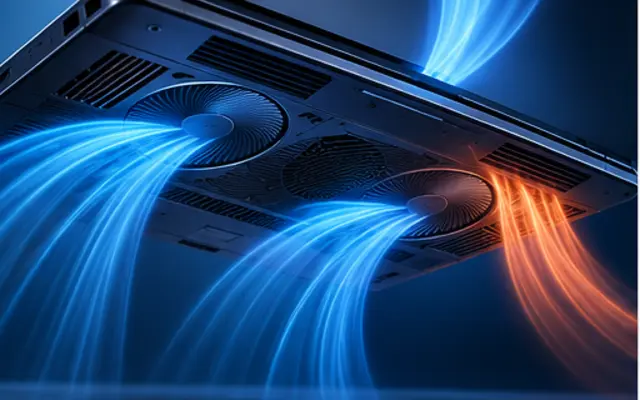
A gaming setup is used for long sessions, so ergonomics matter. Check controller comfort, desk depth, viewing distance, fan noise, ventilation and cable routing. A compact device can still require clear airflow around it. If the setup shares a living room, consider standby behavior, remote controls and how easily another person can use the display without changing gaming settings.
Review accounts, parental controls and privacy
Gaming platforms can combine purchases, social features, voice chat and cloud saves under one account. Use strong authentication, review privacy settings and understand purchase controls before handing a device to a child or sharing it with family members. Check how saves, subscriptions and purchased games move between devices so an account change does not create an unexpected loss of access.
Choose for the next few years, not for a launch-day headline
Prioritize a stable game library, support, repair options and features you will actually use. New hardware announcements can make older devices cheaper without making them less useful. Compare the total cost and the games available to you now. If a promised feature or future title is essential to the purchase, wait until its availability and requirements are confirmed rather than buying only on expectation.
Editorial note: specifications, prices and service terms change. Verify the exact model and region with the manufacturer or retailer before purchase.