
GAMING · BUYING GUIDE
LG UltraGear 1000Hz vs OLED gaming monitors: which should gamers choose?
 By S. Dahani and the RealDigitalTech editorial team
LG's $999.99 UltraGear 25G590B is the first native 1000Hz Full HD monitor. We compare it with current OLED gaming monitors to see who should buy which.
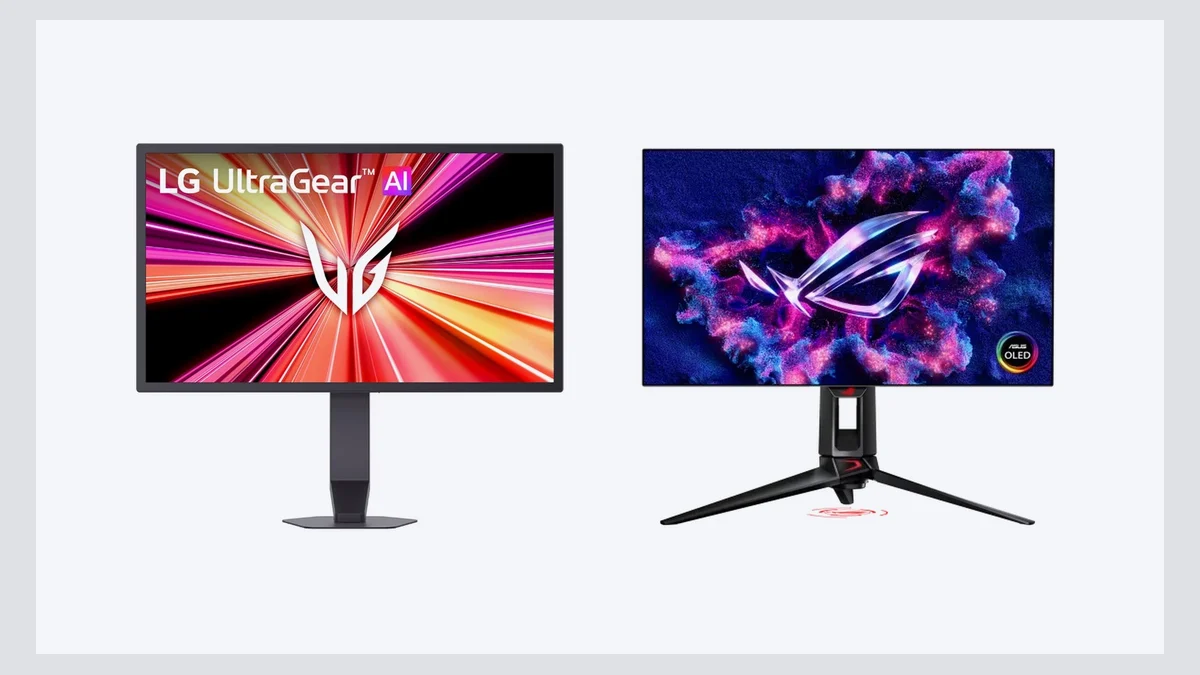
© LG / © ASUS
Quick Take
Key figures
What LG is selling
LG calls the UltraGear 25G590B the world's first gaming monitor with a native 1000Hz refresh rate at Full HD (1920 x 1080). It uses a 24.5-inch IPS panel with a low-reflection film. Earlier 1000Hz models from Acer and others only hit that figure by dropping to a lower resolution, as Engadget points out; LG keeps full 1080p.
LG announced US pricing on 24 August 2026: $999.99, sold through LG.com, with pre-order perks (two years of LG Premium Care for $1 and 5% back in rewards) running until 31 August. There is also an overclock mode to 1100Hz, which LG says requires DisplayPort 2.1, Windows 11 and an Nvidia RTX 50-series or AMD Radeon RX 9070, 9060 or 7900-series card. Other features include Motion Blur Reduction Pro, G-Sync Compatible and FreeSync Premium support, and a built-in FPS counter. LG does not publish a response time figure.
Who actually benefits from 1000Hz
A refresh rate only matters if your PC produces matching frame rates. Tech Times notes that light competitive titles such as Counter-Strike 2, Valorant and Apex Legends on reduced settings come close to that range only on top-tier systems, and that more demanding games do not. In practice, this means:
- Competitive FPS players who already run 500 fps or more in esports titles and want the clearest possible motion. This is the audience LG targets.
- Not casual gamers. Engadget describes the monitor as likely overkill for most people, even those who play for fun.
- Not single-player or cinematic games, where a 1080p IPS panel without strong HDR is a step backwards.
Even the gains at the top end are hard to see. At an LG demo, Tom's Guide's reviewer could not tell 1000Hz apart from 720Hz on a test pattern, and found everything above 240Hz very smooth. That was a brief hands-on, not a full test, but it is a useful reality check.
What current OLED gaming monitors do better
OLED pixels switch off completely for black, giving contrast that IPS cannot match, as Tom's Hardware explains in its OLED buying guide. Every OLED it lists carries a 0.03 ms response time rating, so motion stays sharp even at lower refresh rates.
- Asus ROG Swift PG27AQDP ($999 list price, about $765 seen at retail): a 27-inch 1440p OLED at 480Hz, Tom's Hardware's top pick, rated at 1,300 nits peak in HDR.
- LG UltraGear 45GX950A-B: a 45-inch curved 5K2K OLED running at 165Hz, or 330Hz at 2560 x 1080. Tom's Guide calls it highly recommended for immersion and productivity, but lists $1,999 at launch and finds HDR "relatively dim", with an average of 234.8 nits measured. Tom's Hardware sees it at about $1,350.
- Alienware AW2726DM ($349.99): a 240Hz 1440p QD-OLED that Tom's Hardware names best value, with a three-year burn-in warranty.
The main OLED drawback is burn-in: static images such as HUDs or taskbars can leave a permanent ghost image. Makers use pixel shifting and pixel refresh routines to limit it, and a dedicated burn-in warranty is worth checking before you buy.
1000Hz IPS vs OLED at a glance
| Criterion | 1000Hz IPS (LG 25G590B) | Current OLED gaming monitors |
|---|---|---|
| Refresh rate | 1000Hz native, 1100Hz overclock | 240Hz to 480Hz, 330Hz to 480Hz in low-res modes |
| Resolution | 1920 x 1080 on 24.5 inches | 1440p, 4K or 5K2K depending on model |
| Pixel response | Not published by LG | 0.03 ms rated |
| Contrast and blacks | Typical IPS, no true black | True black, per-pixel light |
| HDR | Not a focus | Strong highlights, but full-screen brightness can be low |
| Burn-in | No risk | Possible, mitigated by software and some warranties |
| GPU demand | Very high to approach 1000 fps | 240 to 480 fps is easier to reach |
| US price | $999.99 | From $349.99 (240Hz) to $999 (480Hz) and above |
Verdict
Buy the LG UltraGear 25G590B only if you are a serious competitive shooter player, already pushing several hundred frames per second in games like Counter-Strike 2 or Valorant, and have a recent high-end GPU. For everyone else, including most competitive players, a 480Hz OLED such as the Asus ROG Swift PG27AQDP costs about the same and offers far better image quality, or a 240Hz QD-OLED like the Alienware AW2726DM gets you most of the benefit for about a third of the price. Skip OLED only if you leave static content on screen for hours and worry about burn-in. For more on choosing a screen, see our gaming display guide and our gaming buying guide.
This article analyses reviews and announcements published by other outlets, in our own words. RealDigitalTech did not test the LG UltraGear 25G590B or these OLED monitors itself.
Sources
- LG — LG Electronics Announces U.S. Pricing and Availability for World's First Native 1000Hz Full HD Gaming Monitor
- Tom's Guide — I just saw LG's 'world's first' 1,000Hz gaming monitor in person — and my eyes couldn't keep up
- Engadget — LG's UltraGear is a native 1,000Hz Full HD gaming monitor
- Tech Times — LG UltraGear 25G590B Pre-Orders Open: 1000Hz IPS at $1,000, GPU Not Included
- Tom's Hardware — Best OLED Gaming Monitors 2026
- Tom's Guide — LG UltraGear 45GX950A-B review
How this article was made: our editorial team selected and read the reviews listed above, compared their results and wrote this synthesis, with AI tools assisting the research and drafting. Every figure was checked against the sources, and the article was approved by the publication director. Our AI Disclosure · Our methodology · Report an error: editorial@realdigitaltech.com