
TECH · PRACTICAL GUIDE
eSIM for travel in 2026: how it works, which phones support it and how to choose a plan
 By S. Dahani and the RealDigitalTech editorial team
Avoid roaming bills with a travel eSIM. How eSIM works, how to check your phone, how to install it before you leave, and how to choose between Airalo, Ubigi, Saily, Nomad and Holafly.
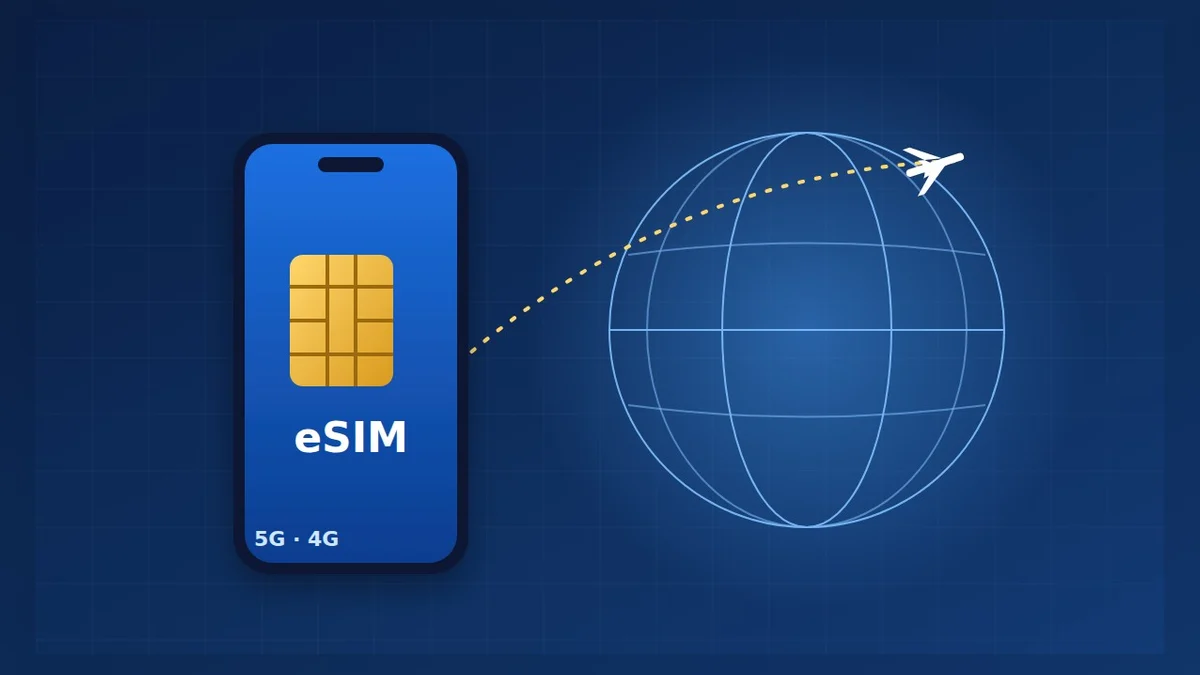
© S. Dahani (AI illustration)
Quick Take
Key figures
What is an eSIM?
An eSIM is an embedded SIM: a small chip built into the phone at the factory. Instead of inserting a plastic card, you download a mobile plan onto it, usually by scanning a QR code or through the provider's app. Activation typically takes a few minutes, according to Tech Advisor.
A phone can store several eSIMs, and many phones can run two lines at once. That is the key advantage when you travel: you keep your usual number for calls, banking texts and two-factor codes, and add a cheap local or travel data plan next to it, without swapping cards or paying roaming charges.
Does your phone support it?
Check three things before you buy anything:
- Compatibility: dial \*#06#. If an EID number appears, your phone supports eSIM. You can also search for "eSIM" in your settings.
- The phone must be unlocked: Apple explains that an iPhone locked to a carrier cannot use another provider's eSIM. On an iPhone, open Settings > General > About: "No SIM restrictions" means it is unlocked.
- Your model: iPhones support eSIM since the iPhone XS and XR (2018), and can run two eSIMs at once since the iPhone 13. Samsung supports it from the Galaxy S20, Z Fold3 and Z Flip3, and Google from early Pixel models. Many budget Android phones still have dual physical SIM slots but no eSIM.
Some phones are now eSIM-only. According to heise, the iPhone 17 range has no SIM tray in the United States, Canada, Mexico, Japan and several Gulf countries, while the iPhone Air is eSIM-only worldwide.
Three ways to get mobile data abroad
| Option | How it works | Best for | Watch out for |
|---|---|---|---|
| Roaming on your usual plan | Nothing to install | Short trips where your plan includes the destination | Can be very expensive outside your plan's zone |
| A local operator's SIM or eSIM | Bought on arrival, in a shop or app | Long stays, calls with a local number | Usually requires a passport or ID |
| A travel eSIM app | Bought online before you leave | Most holidays and business trips | Usually data-only, no phone number |
Inside the European Union, "roam like at home" rules mean EU plans generally work in other EU countries at no extra cost, within fair-use limits. Outside that zone, for example between France and Morocco, roaming is often charged extra: check your plan before you go.
How to install a travel eSIM
1. Buy the plan at home, on Wi-Fi, from the provider's app or website. Choose the destination country or region and the amount of data. 2. Install it before you leave, by scanning the QR code or tapping "install" in the app. Most providers recommend installing at home and activating on arrival; some plans only start counting their validity when you land. 3. On arrival, turn on the travel line and choose it for mobile data. On an iPhone, go to Settings > Mobile Data and select the travel eSIM. Apple says that with iOS 26 the iPhone may offer to "Turn On Travel eSIM" automatically. 4. Keep your home line for calls and messages if you want to stay reachable, but remember that it can still incur roaming fees if it uses data. Apple notes that iMessage and FaceTime keep using your home number even when data runs on the travel line. 5. Back home, switch the travel line off. With iOS 26, the iPhone can do this automatically in some countries.
On Android, the steps are similar under Settings > Network & internet (or Connections) > SIMs. TechRadar notes that some Android phones can store several eSIMs but only use one at a time.
Choosing a provider
TechRadar tested the main travel eSIMs in 2026. Its picks:
| Provider | TechRadar's verdict | Strengths | Limits |
|---|---|---|---|
| Ubigi | Best overall | 201 countries, validity starts on arrival, top-ups without data | Support can be slow |
| Saily | Best for security | Ad and tracker blocking, 24/7 chat, 200+ destinations | Needs Wi-Fi to activate |
| Airalo | Best for global plans | Local, regional and global plans, hotspot allowed | Data-only, not the cheapest |
| Nomad | Best value | European data from $0.66 per GB, quick setup | No unlimited data |
| Holafly | Best for unlimited data | Unlimited data in 190+ countries | Slowed after about 3 to 5 GB a day, no hotspot |
Tech Advisor ranks Saily first overall and Ubigi second, and points out that Nomad offers a free trial of 1 GB for 3 days in 81 destinations. Both outlets say the same thing: no provider is cheapest everywhere, so compare prices for your destination.
How much data do you need?
These are our own estimates; your use may differ.
- Light use (maps, messages, email): about 1 to 3 GB for a week.
- Normal use (social networks, some video): about 5 to 10 GB for a week.
- Heavy use (video, video calls, hotspot for a laptop): 20 GB or an unlimited plan, but check the daily speed limit and whether hotspot sharing is allowed.
Download offline maps and playlists on Wi-Fi before you leave to save data.
Travelling to Morocco
According to an April 2026 guide from Les MRE, Maroc Telecom has offered eSIM since 2023, while Orange Maroc and Inwi have been rolling it out gradually; check availability with the operator before you travel. A Moroccan SIM or eSIM requires identification, and visitors can use their passport. Airport shops in Casablanca, Marrakech and Rabat sell tourist SIMs with data. With a dual-SIM phone, you can keep your European line active next to a Moroccan eSIM. If you keep a Moroccan prepaid number, top it up regularly: inactive lines can be cut off, and the delay depends on the operator.
Frequently asked questions
Can I keep WhatsApp on my usual number? Yes. WhatsApp stays linked to your number even if your data comes from a travel eSIM.
Can I call with a travel eSIM? Most are data-only. Use WhatsApp or FaceTime calls, or choose a plan that includes a number (TechRadar cites aloSIM and Airhub).
Can I reuse a travel eSIM on my next trip? Often yes: many apps let you top up the same eSIM. Otherwise, delete it from your settings once the plan has expired.
Can I share data with my laptop? It depends on the provider. Airalo allows it; Holafly does not.
Verdict
For most trips, a travel eSIM is now the simplest way to avoid roaming bills: install it at home, switch it on when you land and keep your usual number for calls and codes. For a single country, a local plan is usually cheapest; for several countries, a regional plan from Ubigi, Airalo or Saily is more practical; for heavy users, Holafly's unlimited plans avoid counting gigabytes. For long stays, a local operator's eSIM with a real number remains the best option. Moving to a new phone first? Read our phone transfer guide, and to lower your bills at home, see our guide to cutting internet and phone costs.
This guide is based on tests and official information published by the sources listed. RealDigitalTech did not test these eSIMs itself, and some outlets earn commissions from the providers they recommend. Prices and coverage change often; check the provider's page for your destination.
Sources
- TechRadar — Best eSIM for international travel in 2026 (updated September 22, 2026)
- Tech Advisor — Best eSIMs 2026 (January 23, 2026)
- Apple Support — Use eSIM while travelling internationally with your iPhone
- heise online — eSIM-only: the iPhone 17 no longer has a physical SIM in these countries
- Les MRE — Carte SIM et téléphone au Maroc : guide des opérateurs (April 17, 2026)
How this article was made: our editorial team selected and read the reviews listed above, compared their results and wrote this synthesis, with AI tools assisting the research and drafting. Every figure was checked against the sources, and the article was approved by the publication director. Our AI Disclosure · Our methodology · Report an error: editorial@realdigitaltech.com