
TECH · PRACTICAL GUIDE
Text scams and fake calls in 2026: how to spot them and protect yourself
 By S. Dahani and the RealDigitalTech editorial team
Fake parcel texts, fake bank calls, fake toll or court notices. The warning signs, the iPhone and Android settings that filter scams, how to report them, and what to do if you clicked or paid.
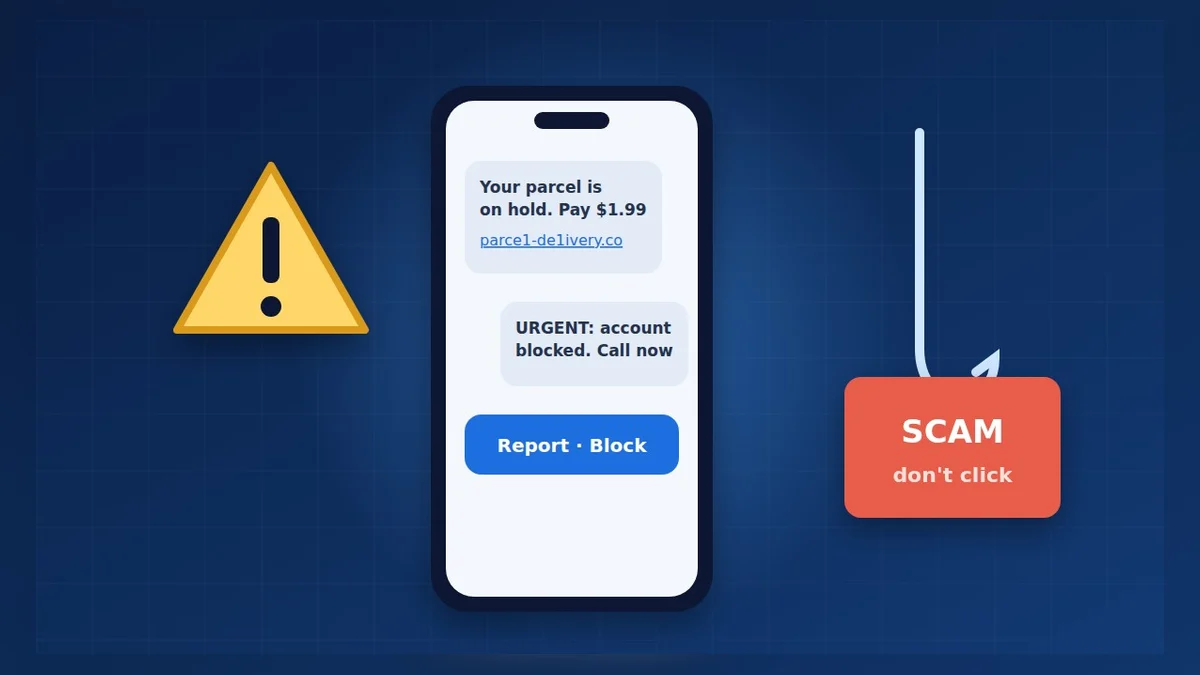
© S. Dahani (AI illustration)
Quick Take
Key figures
Why this matters now
Scams have become an industry. In testimony to Congress on March 25, 2026, the FTC said it received 3 million fraud reports in 2025, with $15.9 billion in reported losses, up from $12.5 billion the year before. Imposter scams, in which someone pretends to be a bank, a company or a government agency, were the most common, with more than 1 million reports and over $3.5 billion lost. According to Money Talks News' summary of the FTC figures, text messages were the most reported contact method.
These numbers only count what people reported. The real total is higher.
The most common scams right now
- Fake parcel delivery: "Your package could not be delivered, pay $1.99 to reschedule." The link leads to a fake site that steals your card details.
- Fake bank or fraud alert: "Suspicious payment detected, reply YES or call this number." The "fraud team" then asks you to move money to a "safe account".
- Fake toll, fine or court notice: an unpaid toll, a parking fine or a court date, with a deadline, a threat and a payment link. The Texas courts, for example, have warned about fake court texts.
- Fake tech support or account problem: your Apple, Amazon, Microsoft or Netflix account is "suspended" or "charged by mistake".
- "Hi Mom/Dad, new number": a supposed relative who lost their phone and urgently needs money.
- Wrong-number chat: a friendly stranger who slowly builds trust before suggesting an "investment". In the FTC data, investment scams caused the largest losses, $7.9 billion.
The 6 warning signs
1. Urgency or a threat: a deadline, a penalty, a blocked account, an arrest. 2. A link or a number to use right away, instead of your usual app or website. 3. An unusual way to pay: gift cards, crypto, wire transfer, a payment app, or moving money to a "safe account". 4. A request for a code, password or card number. No real company asks for the code it just texted you. 5. A web address that is almost right, with an extra word, a missing letter or an odd ending. 6. An unexpected message, about a parcel you didn't order or a toll road you didn't use.
The FTC puts it simply: it "will never demand money, make threats, tell you to transfer money, or promise you a prize". The same is true of legitimate banks and agencies.
Turn on your phone's filters
iPhone (iOS 26):
- Texts: in Messages, tap the menu button in the top right, then Manage Filtering, and turn on Screen Unknown Senders. Texts from numbers that aren't in your contacts move to a separate list. Turn on Filter Spam too, according to Tom's Guide.
- Calls: Settings → Apps → Phone → Screen Unknown Callers, then choose Ask Reason for Calling. Unknown callers must say who they are before your phone rings, as Which? explains.
Android:
- Phone by Google: in the Phone app, open Settings → Caller ID & spam (or Spam and Call Screen) and turn on spam protection.
- Google Pixel: when an unknown number calls, tap Screen call to read a live transcript before answering. Some Pixels can do it automatically.
- Samsung Galaxy: the Galaxy S26 series has Call Screening, and older models offer Bixby Text Call.
These filters cut out most of the noise, but no filter is perfect. The habit that protects you is never to use the contact details given in the message.
Report scam texts and calls
In the United States:
- Forward the text to 7726 (it spells SPAM). This lets your carrier block the sender. It's free.
- Use your messaging app's "Report Junk" or "Report Spam" button, then delete the message and block the number.
- Report it to the FTC at ReportFraud.ftc.gov. Reports help investigators spot new scams.
In France, forward suspicious texts to 33700. The French government also recommends signal-spam.fr for scam emails.
If you clicked, replied or paid
Act quickly, because minutes count:
1. Call your bank using the number on your card or in its app, and ask to block the card or stop the payment. 2. Change the password of the account concerned from the official app or website, and wherever you reused it. A password manager makes this much easier. 3. Turn on stronger sign-in: passkeys cannot be phished, unlike passwords and SMS codes. 4. If you installed an app at the scammer's request, uninstall it and run a security scan. 5. Report it to ReportFraud.ftc.gov (US) or file a police complaint, and keep screenshots as evidence.
Beware of a second scam: fake "recovery" services that promise to get your money back for a fee.
Frequently asked questions
Can a text infect my phone if I don't click? Opening a text is very rarely dangerous on an up-to-date phone. The danger is the link, the attachment or the reply. Keep your phone updated.
Should I reply STOP? Not to a suspicious message, because it confirms your number is active. Report it and delete it instead.
The message came from my bank's usual number. Is it real? Not necessarily. Scammers can fake caller IDs and slip into existing message threads. Hang up and call the number on your card.
How do I protect my parents? Set up the filters above on their phones, and agree on a simple rule: "We never pay or give a code because of a call or a text. We hang up and call back."
Verdict
Scam texts and calls will keep coming, but most of them fall apart if you follow one habit: never use the link or number in the message. Contact the organization yourself. Turn on unknown-sender filtering and call screening today, report what gets through, and protect your key accounts with passkeys. If you get caught, call your bank first, then change your passwords.
This guide is based on FTC data and official advice, and on the practical guides cited below. Menu names can change with updates; check your phone's help pages if a setting has moved.
Sources
- FTC — FTC testifies before Joint Economic Committee on agency's efforts to combat fraud (March 25, 2026)
- Money Talks News — Americans lost a record $15.9 billion to scams in 2025, FTC says (April 3, 2026)
- Texas Judicial Branch — How to report scam text messages
- FTC — ReportFraud.ftc.gov
- Which? — How to screen calls on iOS and Android to avoid scammers (October 15, 2026)
- Tom's Guide — How to screen texts from unknown senders in iOS 26 Messages (October 13, 2025)
- French Ministry of Economy — Phishing (hameçonnage)
How this article was made: our editorial team selected and read the reviews listed above, compared their results and wrote this synthesis, with AI tools assisting the research and drafting. Every figure was checked against the sources, and the article was approved by the publication director. Our AI Disclosure · Our methodology · Report an error: editorial@realdigitaltech.com